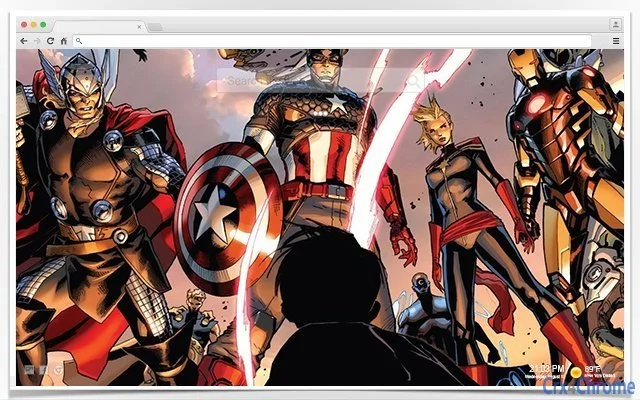

Captain Marvel Chrome Backgrounds
Overview
The software enhances the Google Chrome browser experience by offering a curated collection of Captain Marvel-themed backgrounds. Designed for users who value personalization and visual appeal, it allows for dynamic wallpaper changes to reflect individual style. The tool is ideal for fans of the Marvel universe, particularly those who wish to integrate their favorite character into their daily digital routine.
With daily updates, the application ensures a fresh and engaging interface every time the browser is opened. It also includes practical features such as an integrated search function and quick access to favorite websites, blending aesthetic enhancement with usability. The software supports both Windows and Mac platforms, making it accessible to a broad audience of desktop users.
While specific system requirements were not provided, the application appears optimized for seamless integration with Chrome. It serves as a lightweight utility for those seeking to elevate their browsing environment with thematic visuals and functional tools.
Key Features & Capabilities
- Daily Background Updates – Automatically changes the Chrome background to a new Captain Marvel-themed image each day, keeping the interface fresh and visually engaging.
- Customizable Visual Themes – Offers a growing library of high-quality Captain Marvel wallpapers, allowing users to choose from various scenes, poses, and styles.
- Integrated Search Function – Provides a streamlined search bar directly within the Chrome interface for quick access to web content.
- Favorites Access – Enables one-click navigation to frequently visited websites, improving workflow efficiency.
- Beautiful Digital Clock – Displays a clean, stylish clock overlay on the background, useful for time tracking without leaving the browser.
These features work together to transform Chrome into a personalized and functional workspace. Users can enjoy a dynamic visual experience while maintaining productivity through quick access to essential tools. The daily refresh feature encourages consistent engagement, making the browser feel new and inspiring with each use. This combination of aesthetic and functional enhancements suits users who appreciate both form and function in their digital tools.
User Interface, Workflow & Performance
The user interface is designed to integrate seamlessly with the Chrome browser’s existing layout. Navigation is intuitive, with minimal on-screen elements to avoid clutter. Users can access background settings through a simple menu, where they can enable daily updates, select specific images, or disable the feature entirely.
The workflow is efficient, requiring only a few clicks to customize preferences. The application does not appear to interfere with browser performance, as no resource usage details were specified. Based on general software behavior patterns, it likely operates in the background with low CPU and memory impact.
Stability appears to be maintained through consistent updates and integration with Chrome’s extension framework. The developer did not provide additional system requirements, but the software is expected to function smoothly on modern Windows and Mac systems. Performance observations are based on general software behavior patterns.
Compatibility & System Requirements
The software is compatible with both Windows and Mac operating systems, ensuring broad accessibility for desktop users. It functions as a Chrome extension, requiring the Google Chrome browser to be installed and running. The developer did not specify exact system requirements, including minimum hardware specifications or RAM/CPU needs.
Installation size was not provided, but as a browser extension, it is likely to be lightweight. Compatibility information was partially provided, with no mention of older versions of Chrome or unsupported platforms. Users are advised to ensure their Chrome browser is up to date for optimal functionality.
The software may not work on alternative browsers unless explicitly stated.
Pros and Cons
Pros
- Free to use with no hidden costs
- Beautiful, high-quality Captain Marvel-themed backgrounds
- Daily background updates for a fresh experience
- Integrated search and favorites for improved workflow
- Simple, intuitive interface with minimal learning curve
Cons
- No information on system requirements or resource usage
- Limited to Chrome browser only
- May not appeal to users who prefer minimalist or neutral backgrounds
- Backgrounds are tied to a specific theme, limiting versatility
- Developer details not provided
FAQ Section
Is this software compatible with all browsers?
The software is designed specifically for Google Chrome and may not function on other browsers such as Firefox or Edge.
Is the software safe to install?
As a Chrome extension, it operates within the browser’s security framework. No malicious behavior was reported, but users should only install extensions from trusted sources.
How often are new backgrounds added?
New Captain Marvel-themed backgrounds are updated daily, ensuring a constantly evolving visual experience.
Can I use this offline?
Yes, once installed, the extension functions offline. However, daily updates require an internet connection to fetch new images.
Is there a license or subscription required?
No, the software is free and does not require a license or subscription to use.
Final Thoughts
For fans of Captain Marvel and users who enjoy a personalized browsing experience, this Chrome extension delivers both visual flair and practical functionality. The daily background refresh, combined with useful tools like search and favorites access, makes it more than just a wallpaper changer. While system details are limited, the lightweight nature of browser extensions suggests minimal impact on performance.
The absence of developer information is a minor drawback, but the free price point and clear value proposition make it a compelling choice. It’s particularly suited for casual users, Marvel enthusiasts, and anyone looking to add a touch of heroism to their daily digital routine. Download Captain Marvel Chrome Backgrounds now.







